HVS-2768. Smart Hybrid Energy Management System Using Arduino
₹12,500.00
In this project you will learn that how to make smart hybrid energy management system using Arduino so here working principle of this project so let me explain it .we have three power sources one is solar the second one is grid and the third one is battery so our first priority will be the solar
Description
Reviews
Description
Reviews
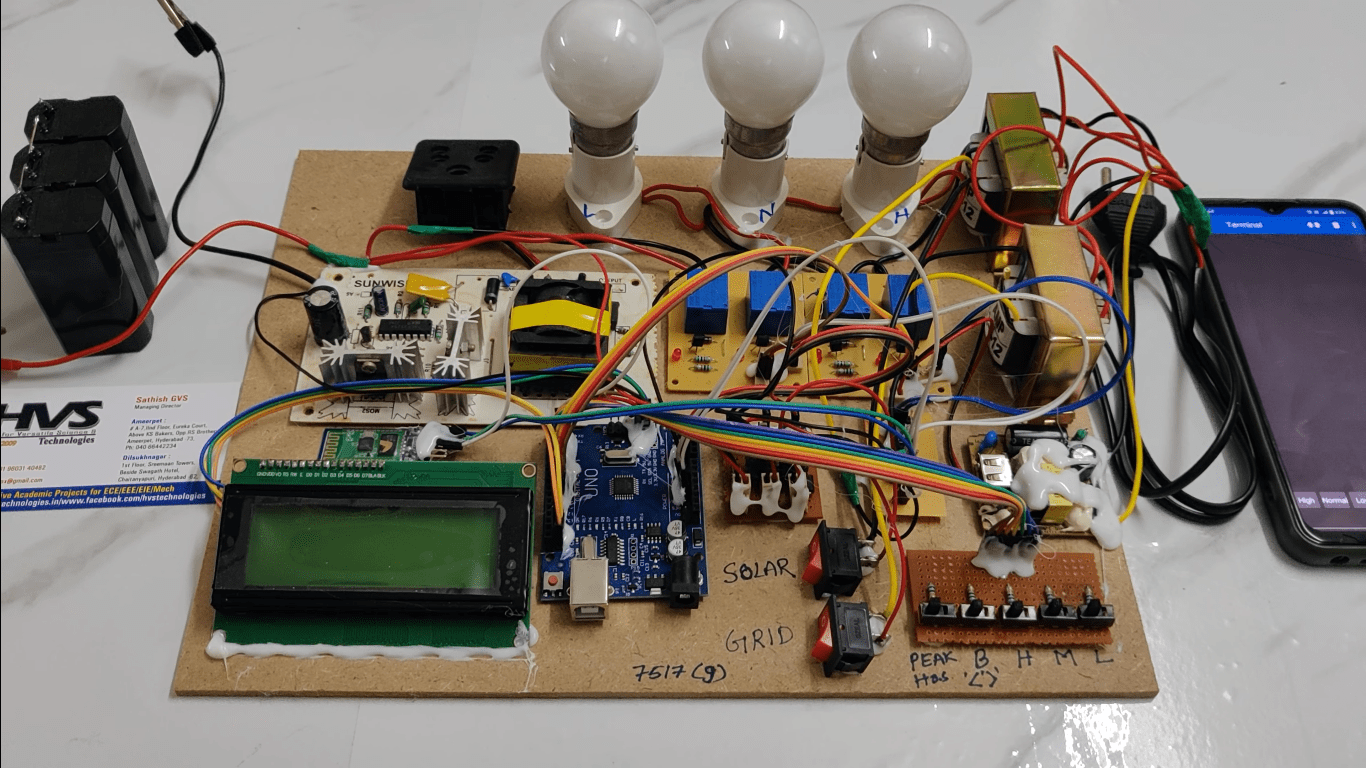
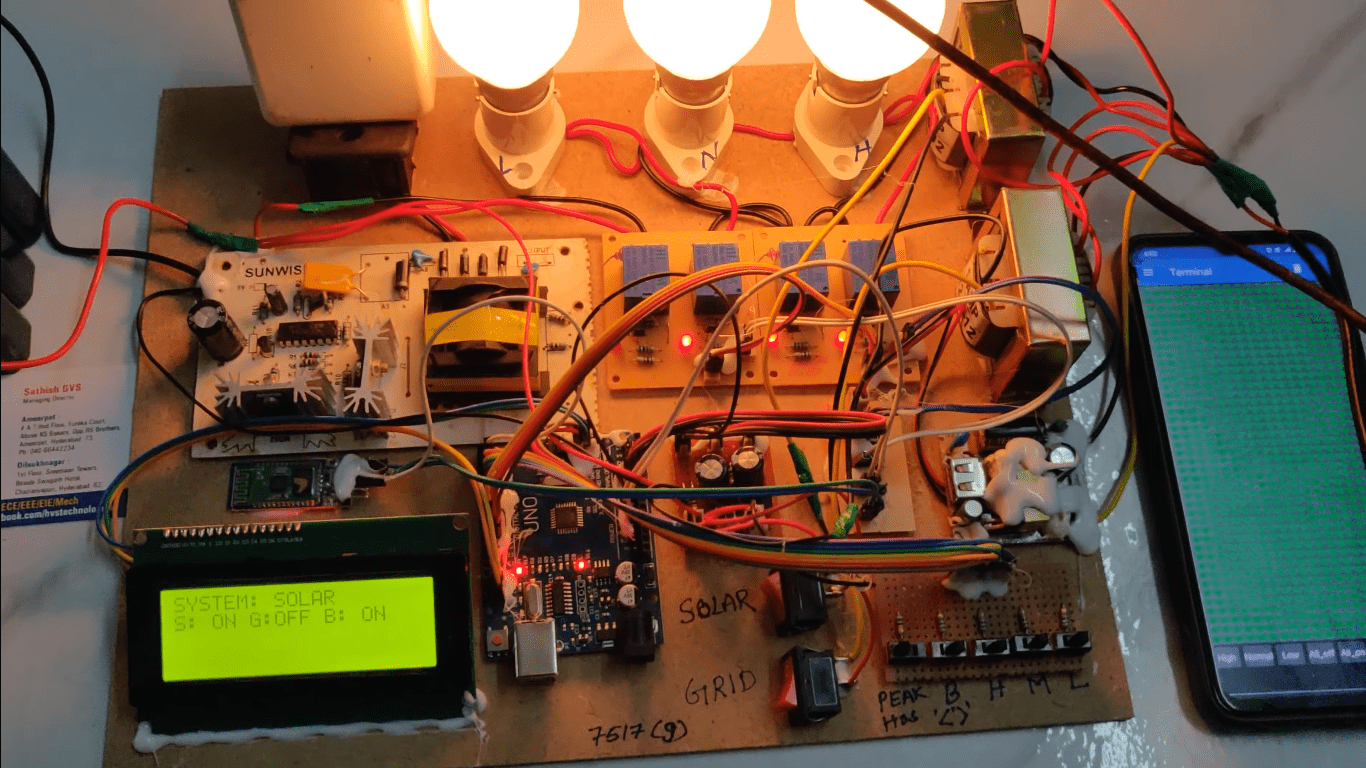
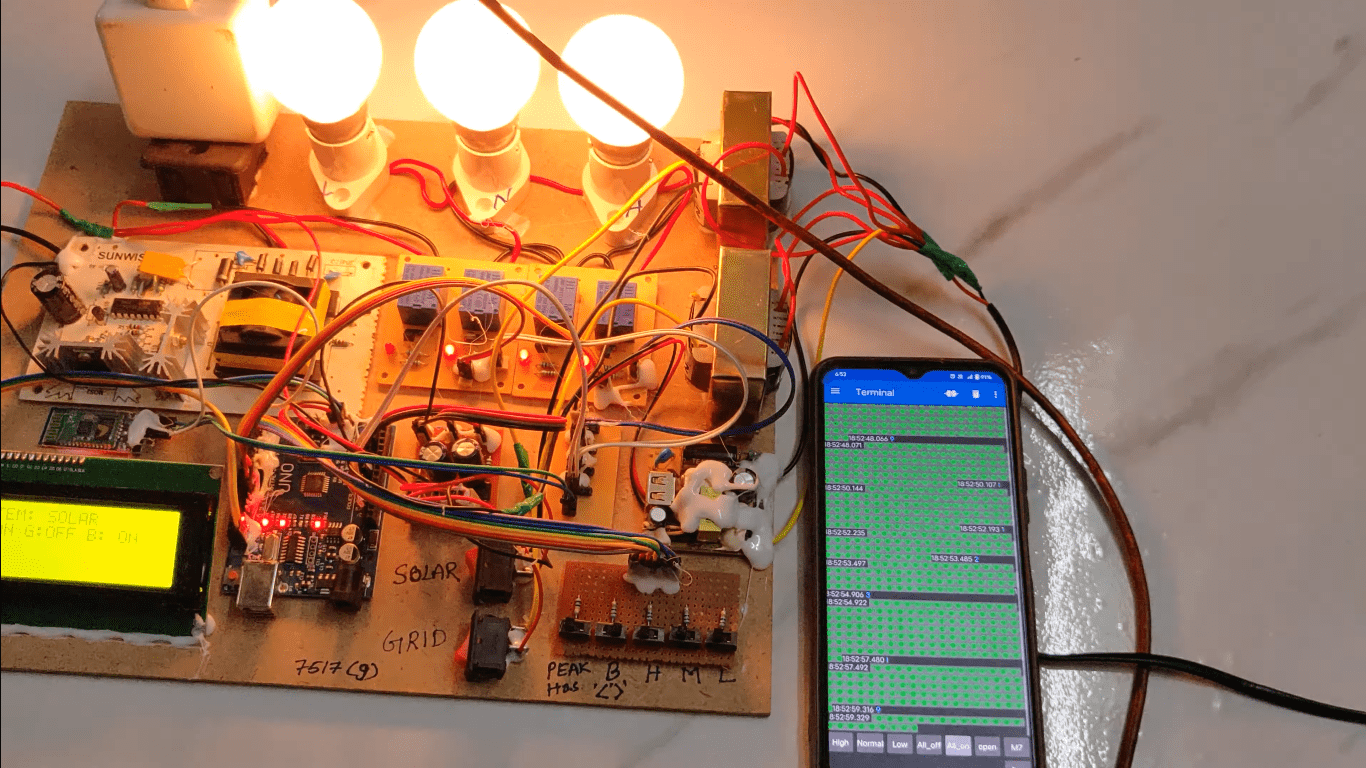
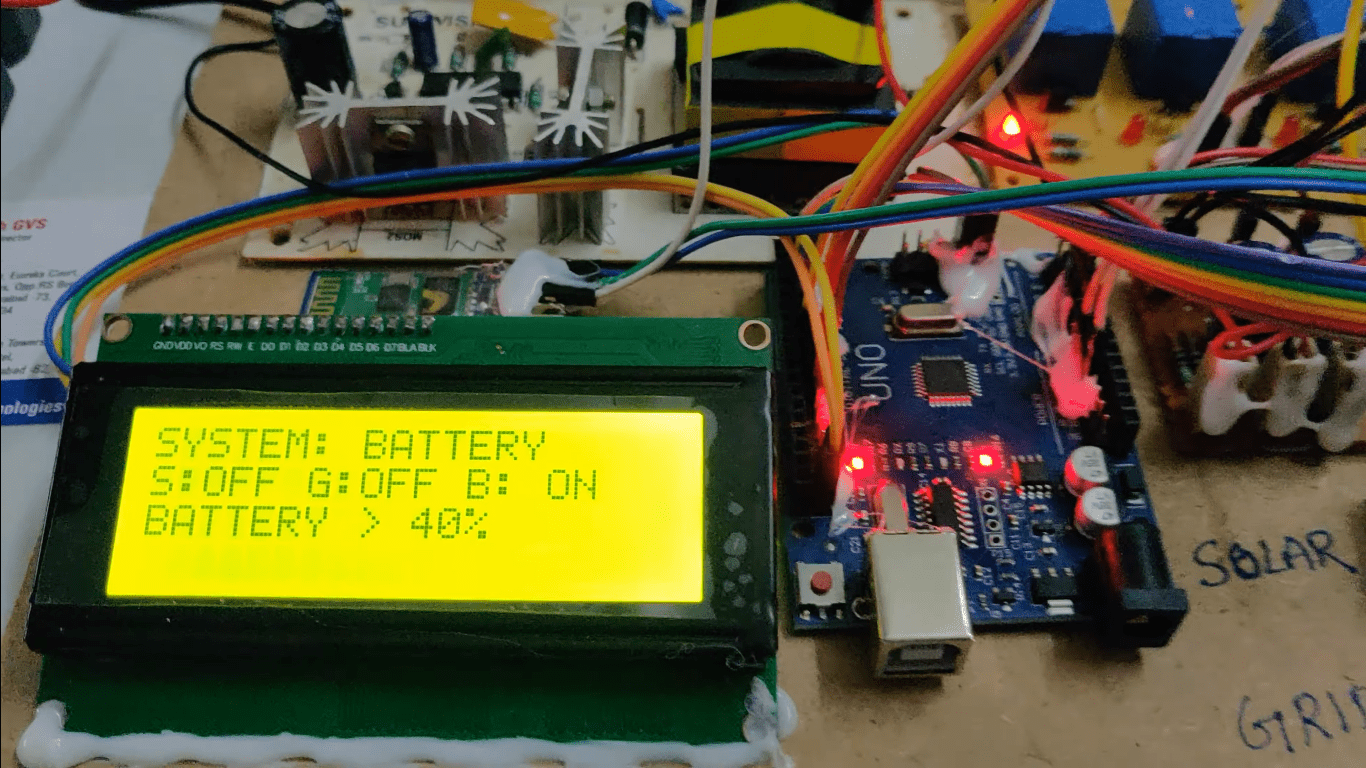
In this project you will learn that how to make smart hybrid energy management system using Arduino so here working principle of this project so let me explain it .we have three power sources one is solar the second one is grid and the third one is battery so our first priority will be the solar and if solo is not available then second priority will be the grid and if grid is also not available so the third product will be the battery so this means that when solar and grid is not available then the load will be transferred to the battery and if solar and grid is available then our first priority will be the solar that all the load will be connected to the solar and if solo is not available so if solar is available then high priority normal priority and low priority load will be connected with the solar power and if there is no solar power then the power will be transferred to the grid now indeed there are two conditions one is that whether they are peak hours or not so if there are peak hours then only the high priority and Nano priority load will be connected with it the low priority load will not be connected with the grid so if there are no big hour then the hybridity normal priority and low  priority load will be connected with the grid now the third option is the battery if both of these power are not available then load will be transferred to the battery so there are also two condition battery whether the battery is a less than 40 percent or not so if battery is less than 40 percent then only hybridity and normal priority load will be connected with it and if a battery is greater than 40 percent so high priority non-variety and low priority load will be connected with it. So this the Arduino UNO the Bluetooth module this is the reset button for resetting the system this is the LCD module the details on it here the air channel rear modules the first relay is for the solar the second one is for the grid and the third one is for the neutral wire this is for the battery phase wire and neutral wire and the last three layers for the controlling of the load control the high priority normal priority and low priority and this button is for the solar grid and Battery this is the main Supply wire this is the step down transform this also disturb down transformer this is the bridge capacitor and then resistors same .here Bridge capacitor resistors this is for sensing the voltage this is also for sensing voltage this is for sensing solar voltage grid voltage this is for sensing battery voltage this is high priority load this is normal priority load and this is low priority load this is the 12 volt battery and this is the inverter connected with it these buttons are for controlling the load this is for high priority number priority and no priority load this means that we can manually control the load with these buttons this button is for manually creating the peak hours and this button for manually creating battery less than 40 percent this is just for the demo purpose because we can't wait for the peak hours and the battery to be less than the 40 percent.
Â
Features:
Â
Â
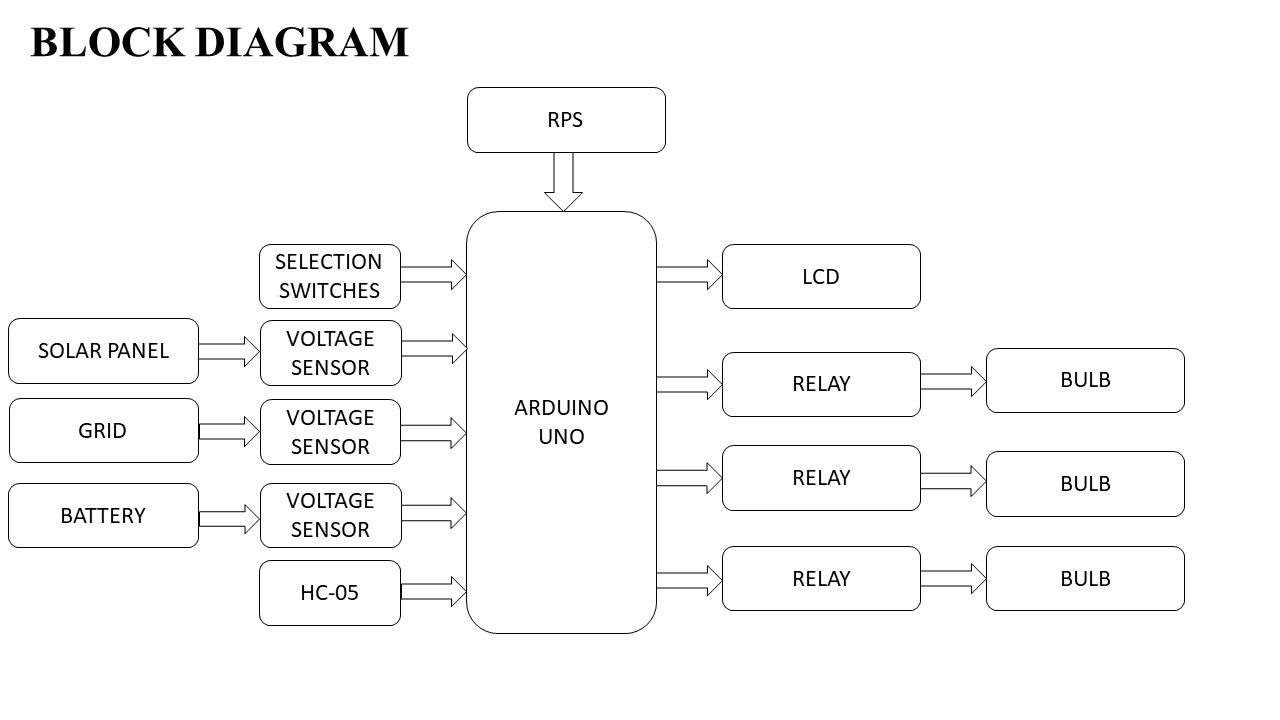
Block Diagram:
video:
- Integration of solar panels and grid power for efficient energy utilization.
- Battery storage for managing energy during peak and off-peak periods.
- Real-time monitoring of energy production, consumption, and storage.
- Automated switching between energy sources based on availability and cost.
- User-friendly interface with LCD display for system status and control.
- Hands-on Experience with Arduino Uno
- Integration of Renewable and Grid Energy.
- Energy Storage and Management
- Sensor and Actuator Interface
- Wireless Communication
- User Interface Design
- ARDUINO UNO .
- SOLAR PLATE
- GRID
- BATTERY
- 6 RELAYS WITH DRIVER.
- LCD with driver.
- Hc-05
- SELECTION SWITCHES
- VOLTAGE SENSOR
- Arduino IDE Studio compiler for Embedded C programming.
- Express SCH for Circuit design.
Â
Block Diagram:
video: